23 April 2012

Manning the Engineering Table (23.4.12)

Our class today fell during Wellesley's Spring Open Campus for accepted students, and during class was a fair in the science center in which each department had a table.  There was also an engineering table (next to physics and astronomy!) so Erin and I decided to bring up a bunch of cool examples of laser cut, 3D printed, Lego-built and electronic examples of the cool things students can do in the engineering lab.

Some of these cool things included a 3D printed gear heart, like the one below:

http://www.rapidreadytech.com/wp-content/uploads/2012/03/Gear-Heart.jpg

A few members of my particle zoo were there as well:


These particle zoo figures were based on the stuffed versions of the Standard Model made here: http://www.particlezoo.net/
Each particle was laser cut and I used white-out to make the faces.  On the back is the name of each particle plus it's mass, spin, charge and symbol.

Erin and I answered many questions about engineering possibilities at Wellesley, MIT and Olin.  Since Erin's taking a class at Olin next year and I'm currently taking a Course 16 (AeroAstro) class at MIT, we were able to cover all the engineering bases!  I even had a student text me saying that my input on engineering here was one of the deciding factors in her choosing Wellesley! (I also sent about 5 very long facebook messages to prospies about engineering and research at Wellesley, and two more said my input really helped).

Next class Erin, Kelsey and I will get down to business with our final project, a Harry Potter themed pop-up book!

20 April 2012

Slight Complications (19.4.12)

Today Erin, Kelsey and I finished soldering the rest of our circuitry and tried putting it all together with the batteries.  We used small metal plates to connect the batteries in a series, but had trouble keeping the plates in the right position.  Because our flashlight is made of delrin and most glues won't stick and we found ourselves having to use regular old scotch tape to keep the metal plates in place.  This is not a satisfactory solution (for me, anyway) and I still want to experiment with other techniques.

If we held everything carefully in position with our hands, then we were able to get the LEDs to light.  The problem was, we had trouble keeping the batteries flush against the metal.  A few times we achieved this, but then if we tried to squish the rest of our circuity inside, everything shifted around a little and the LEDs would not light.  Although everything in principle fit within our case, when we actually tried to close it, we had trouble positioning the batteries first.  We tried closing it a few times and used scotch tape to keep everything in place, but it just wasn't working.

After messing with it a few times, some of the solder connecting the resistors to the switches broke off, so I worked for a great chunk of class today re-soldering much of the circuitry.  The LEDs still worked after the soldering fixes, but when we tried to combine it with the batteries and put it in the case, it all just wasn't coming together.

We originally were using metal plates, but then we experimented with creating coils stretched to look like springs instead.  I was able to make these using pliers and my hands, and they looked good, but did not fix our problem.  The batteries would slide off the tips of the coils.  Oscar suggested taking a plate of metal, and instead of having it lay flat against the bottom of our lantern case, like we originally had done, we bend the metal into a sort of staple, which could take some pressure from the batteries and offered much more surface area than a coil.  Again, using this method, our LEDs lit, but we couldn't consistently get our lantern to work when we closed up the case.

We're going to start our final project next week, so unfortunately we didn't get our lantern in good working shape in time.  We did have the most complicated circuits and three LEDs (the other groups used one).  It's possible our ambition held us back, but either way, we learned an important lesson in engineering: not every project will go as planned, and problems will arise along the way, but as long as you work together, keep a clear vision of your project in mind, and consider all possible solutions, you will, in the end, learn much more about engineering than if you had an easy project.  I'm actually kind of glad one of our projects didn't work, because then I know we really challenged ourselves.  Either way, I can't wait to get working on our final project!

13 April 2012

Putting the Solder to the Metal (12.4.21)

I apologize that my titles are so cringe-worthy.

Getting back to the matter at hand, today I soldered the majority of our circuit.  If I haven't said this enough already, soldering is so much fun!!  Liquid metal is really beautiful.


I started by soldering the LEDs to the resistors and trimming the lengths.


Next the LEDs and resistors were soldered to the switches.

One rather humorous thing I thought I'd mention are the two diagrams Erin and I used to explain the inside of our lantern.  This is Erin's:


And this is mine:


 As you can see, I attempted a 3D view of our lantern from the bottom, looking towards the top.  I don't know how understandable it is to others, but it made sense to me and I referenced it often as I finished soldering our circuits.

Also, I don't think I've uploaded any really cool laser printer images in a while, so I thought I'd share these two:


09 April 2012

Getting to Work (9.4.12)


We decided to modify our box from being square to being an octagonal prism (go eight sided-things!) with living hinges to make the eight sides.  We still used my idea of creating a layer in the middle with holes to hold the batteries.


Here's a picture of the sides of the lantern, designed by Kelsey out of white delrin, photo borrowed from Erin :)  We made three opening for the switches (which you can see in the pictures farther below).  Note the living hinges and eight sides.


The picture above shows our octagonal prism with the battery layer and batteries inside.  Photo also courtesy of Erin.


We discussed what we wanted the top of the lantern to look like.  We considered either cutting squares that fit the entire LED or cutting just a hole big enough for the tip of the LED.  We found cutting the small holes worked just fine, and produced a nicer glow.


Next we took our double resistors and I soldered them together, which was a lot of fun.  Above you can see the three stages of our resistors:

  1. twist the wires together
  2. solder the resistors together and cut off one of the wires on each end
  3. flatten the remaining ends
Later, once we have the body of our lantern constructed and have our LEDs in position, we will trim the length of each resistor.


Next we tested our newly soldered resisters, and the outcome looked bright! (pun very much intended).

Also today in class, Oscar showed us the Lytro!!  It was really exciting actually holding one.  We experimented with taking a few pictures.  The quality isn't great (the example photos on the website were much more impressive than the ones we took (I'm not surprised at all by this)) but it was fun either way!


Oscar also gave us these little kits to make on our own.  If you go to the Mad Scientist Hut website, you can see a listing of all the projects you can make with just these few parts.

05 April 2012

Starting Our Next Project! (5.4.12)

Today we start our second project!  We are going to make lanterns in groups and divided into two groups of two and one group of three.  I am in the group of three working with Erin and Kelsey.  First Oscar reviewed with us the circuitry necessary to power LEDs with batteries.

We decided to make a circuit with three differently colored LEDs and three switches to control each LED.  This is the circuit we came up with:


We decided on creating a square base with three AAA batteries (although the bottom of the image says 2 batteries, we realized we would need three for our circuit). 

I proposed that we hold the batteries within the base by creating an inside panel with one hole for each battery.  This panel would secure the batteries between two of the walls.  It's a little hard to draw, but here's a rough representation of my idea:


Here are more of our sketches:


The LEDs would stick out a hole in the top of the box.  We could then have four magnets at each corner which would allow us to attach various "tops" or "shades" above the light source to make it glow, or manipulate its direction.  We also thought of lining this "shade" with aluminum foil to add to the brightness.

Next we looked at what materials were available to us and decided on using three four-prong LEDs; one red, one blue, one yellow.  We also decided to have a switch correspond to each LED, so we can turn each LED on individually or combine them.  Our LEDs will be parallel to each other, but this is ok because each LED will have its own resistor.

We got to work with our breadboards, after making sure each LED was oriented correctly, came out with this:


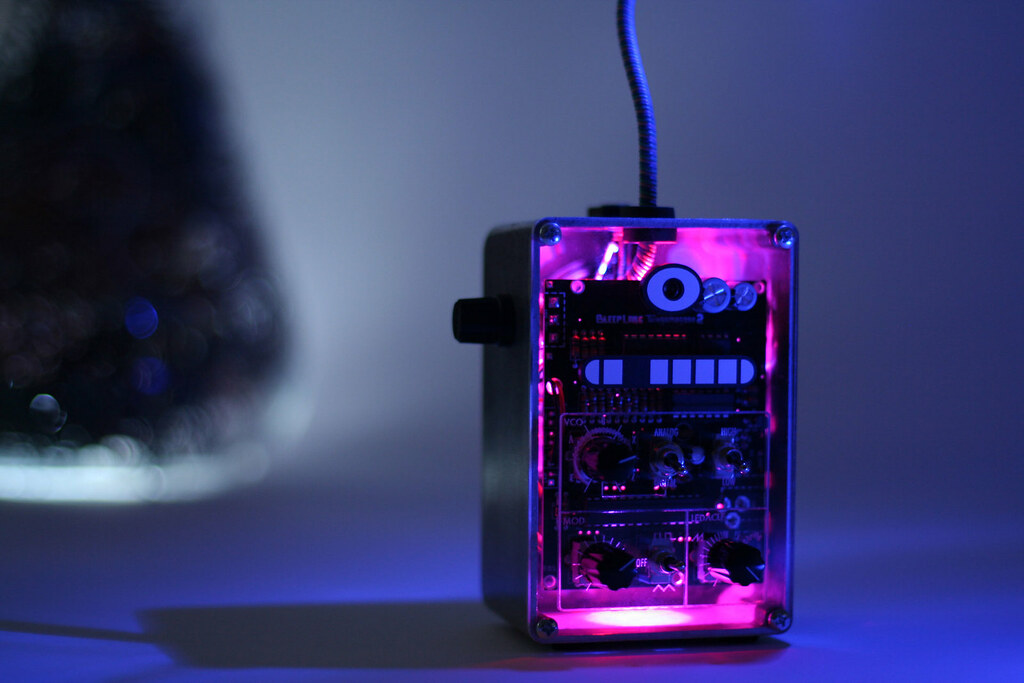
Tangent: We also checked out this cool product by Bleep Labs:


http://bleeplabs.com/

03 April 2012

Presenting our Boxes (2.4.12)

Today we presented our boxes and rated each other on various factors including aesthetics, manufacturing, performance, and whether or not it fulfilled the requirements.  Because my final green box wasn't finished, I used my completed white prototype (I felt the green box would be prettier but my classmates liked the white box just as well).

It was interesting seeing just how diverse our boxes were, and what materials we choose to use.  My box used the most different materials (acrylic, contact paper, hot glue, magnets, tape) whereas some boxes were just acrylic.  My box was also the only non-cube-shaped box and the only one to incorporate magnets.  While my classmates made boxes in which the sides met at 90 degree angles, I had to find a way to make my sides come together sturdily.  My box ended up being quite sturdy.

Another interesting thing about my project is that I started with an original plan (I want to make an octahedron!) and I followed through and accomplished that goal, with few changes in plans along the way (I suppose you can judge my use of the word "few" by reviewing my other posts, but my concept sketch exactly matches my final product).  This is in stark contrast to some of my classmates, whose final boxes do not resemble their original plans at all.  It was interesting to see how some students completely redid their plans throughout the time we had for the boxes, while I did not modify anything.

When it came to evaluating the manufacturing of my box, I explained that, for me, making this box was really enjoyable.  It's by no means an easy or quick box to make (some of my classmates have boxes where you just laser cut them, fold a few sides, and you're done).  I found that the production of my box requires a certain amount of craftsmanship, care towards detail, and willingness to work with one's hands.  I love projects like this, so making my box was fun for me, but to some of my classmates my box appears complicated and painstaking.


Above are pictures of the white board with our ratings.  Interestingly my box was the only one to get a 1,2,3,4, and 5 in the manufacturing category, meaning that opinion on my box really stretched the full spectrum of possible scores.

In our next class we will be assigned Project #2!

31 March 2012

Starting Octahedron V2.0 (29.3.12)

After completing my first prototype out of white delrin, I went back to the green acrylic and started a final version (I find the green acrylic much prettier).


I started by laser cutting the pieces.


There was a long line for the laser cutter in class today, so it took a while before I had these pieces ready to go.

Oscar suggested I try drilling the hole for the nut, so that I could get a more snug fit.  If I was feeling particularly skilled with the drill, I could try drilling only halfway, so that the nut wouldn't bee seen from the outside.


I started by attaching it to a clamp and backing it with wood.  I also had to wait a while because another student was using the drill.


But once I had the drill in my hands (and had some help from Oscar), I made this hole, which is much cleaner looking than the hole in my white prototype.

After making this I got to work attaching the other triangles with contact paper and on monday will go through the same hot glue procedure as last time.

27 March 2012

Completing a Prototype! (26.3.12)

After getting back from spring break, we're hard at work again in the engineering lab!

Where I last left off, I had these three pyramids:


My next task is to combine them to complete the octahedron!

I cut a fresh batch of triangles from white delrin and also cut two squares that would sit at the tips of each triangle.  The little space between the tip and the square would be filled with hot glue.  I lined the sides of the squares with black so that they would blend into the bottom of the pyramids.  Below you can see four triangles attached with contact paper and my two squares.


I attached 7 of the 8 triangles in the formation of the octahedron (the missing one will be the lid).


You can see how they fold together to make the octahedron.


After solidly attaching the sides with contact paper, I attached the lid (also with contact paper) which you can see hanging open.


I drilled a hole in the tip of the lid, and fit a nut inside (I will be putting a magnet inside that tip of the triangle to keep my box closed).


My next task was to fill the bottom triangle tip with hot glue and situate the box inside.  I grabbed some Lego parts from the giant wall of Legos and constructed a base to hold my box when I hot glue.  It worked really quite well!  Maneuvering the hot glue through the three sides of the top pyramid was hard, but since I had already had practice hot gluing squares in the bottoms of my other pyramid prototypes, I was able to put in just enough glue.


 Next I needed to add my magnet.  I put tape on one of the sides and marked where the nut was, so that when I was putting the in, I would position it so that it alligned with the nut (because how sad would it be if I added a magnet but I did not line up with the nut...)

I had a long square that I used to sandwich the hot glue against the tip.  This larger pocket of space for the hot glue and magnet needed a lot more hot glue to fill than I anticipated.  The hot glue kept settling to the bottom so I let it cool in phases.  Once it was filled with enough room for the magnet, I put in my last layer of liquid hod glue and used tweezers to drop in the magnet.  I neglected to realize that the tweezers were magnetic, so once I finally got the magnet free, it turned sideways and began to sink into the hot glue.  I was able to fish it out with the tweezers and came up with a better idea.


I put the magnet on the end of a screw, and held the screw as I added hot glue on either side.  That way I could keep the magnet from sinking and I could position it properly.  I was really quite proud of this impromptu solution since I was working under time (or cooling?) pressure.  Once the hot glue dried, the magnet was sturdily held and I could just pull the screw off.


Here you can see the tip filled with hot glue and my magnet.  I took a triangle of contact paper and used this to cover the hot glue and magnet for a more professional look.


Here you can see the finished version of my prototype!!!

16 March 2012

A Simple Solution (15.3.12)

Where I last left off, I had a completed pyramid of four green acrylic triangles attached on the outside by contact paper.  One glaring problem is that the sides are not secure, and the edges can shift around a little and wobble.  Some solutions involved notches to add a rubber band or wire or use hot glue to fill the gap between the contact paper and the triangles.

While considering options to add stability, I decided to try an alternate strategy with the contact paper.  What if instead of lining the outside of the pyramid, line the inside?

I followed the same cutting procedure as before, except this time arranged the triangles flush against one another.  The following picture is my first attempt at this.  However, when I attached the fourth triangle with the two paper "wings," I made a slight error:


As you probably noticed, my extra wing is attached to the wrong side of the triangle.  Here's my sad attempt at forming the pyramid:


But on the second try, I got it right... 


and repeated this process with the acrylic to make two new pyramids.


An interesting property of the contact-paper-lined triangles is that they can collapse to fold in half.  One drawback to using wood is that not only does the contact paper stick less firmly as it does to acrylic, but the wood begins to splinter.  On one side, I tried hot gluing the paper to the wooden triangle for extra adhesion, which worked well but the glue left bumps under the contact paper.  Since the paper sticks much better to the acrylic I will most likely end up choosing this as my final material, although the wood is certainly pretty.


Next, I decided to experiment with the hot glue gun by filling the tip of each pyramid with hot glue to hold the sides stable.  I cut a small square of acrylic to cover the hot glue, but as you can see, I greatly overestimated the amount of hot glue necessary:


My second attempt was a little cleaner.  This acrylic pyramid is by far the sturdiest.  My next experiment will be to determine the least amount of hot glue necessary to hold the sides steady.


Although the actual engineering needed to create this pyramid is painfully simple, it achieves our objectives of creating a product with a simple design, small number of materials, and easy manufacturing process.  Initially I was worried I was taking the "easy way out" because my product does not require particularly intricate design or cut with the laser cutter and is almost painfully simple.

14 March 2012

To Build A Pyramid (12.3.12)

My main predicament remains: how to connect the triangles?

After creating my triangles with the notches, I brainstormed with Oscar to come up with other strategies.  One material available to us is contact paper, so I decided to experiment with that while also looking for a way to sturdily attach my notched triangles.

I decided to split the octahedron into two pyramids and focus first on creating a sturdy pyramid.  To start, I cut four triangles out of acrylic with the laser cutter.  Next, I traced the pattern of the four triangles on graph paper and cut the same pattern onto the back of black contact paper.

After cutting my first strip of contact paper, I traced the lines with a ruler to ensure my second cut would have straight lines.
The triangles need to be spaced on the contact paper so that there is room to bend.  I wedged an extra triangles between the two I was measuring to ensure I left enough room.
Here are all three triangles on the contact paper.  As you can see, the spacing is not perfect - this is just a prototype so I didn't spend a lot of time positioning the triangles.
My method was to attach three triangles and then attach the fourth with two triangular "wings" that would overlap the adjacent triangles.

One problem that became evident right after wrapping the contact paper around the triangles was the space created between the edges of the triangles and the contact paper.  This space meant the triangles could wiggle and shift, as you can see in the image below.


One solution would be to hold the two triangles at the right angle before putting on the contact paper, and fill the free space with hot glue.

Figuring out how to make a stable structure will be my objective for next week!